
Anatomy of a Fake DVLA Fine: How a Speeding-Ticket SMS Scam Works

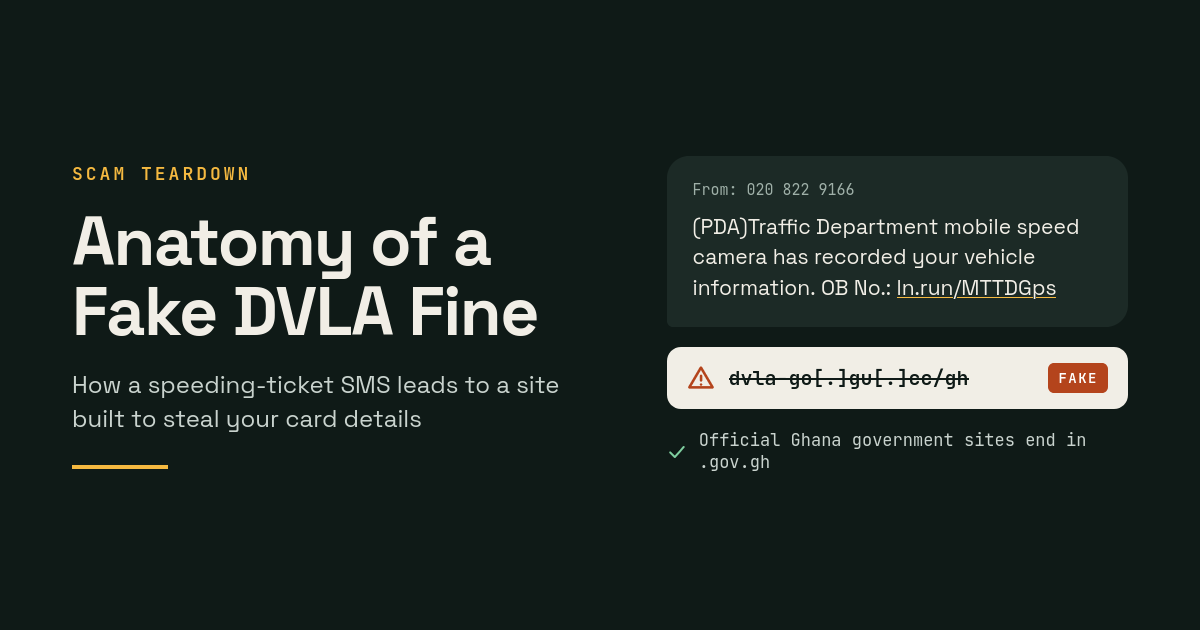
A text message claiming a speed camera had caught my vehicle led to a convincing fake DVLA website built to steal card details. On 9 October 2026, I received it on my phone. Out of professional curiosity, I followed the link and tested the site. What I found is worth walking through.
The site looks polished, uses the DVLA's name and logo, and asks for only GH₵ 60. That combination is exactly what makes it dangerous. Understanding how it works is the best way to avoid it, and to help others do the same.
The message
The SMS read, in full:
(PDA)Traffic Department mobile speed camera has recorded your vehicle information.OB No.: ln.run/MTTDGps
Three things were wrong before I even tapped the link.
-
It came from an ordinary mobile number (020 822 9166). Government agencies send bulk messages through registered sender IDs, not personal lines.
-
It named nobody and nothing. There was no name, no registration number and no location. A real notice would identify the vehicle it concerns.
-
It used a link shortener. The short link hid the destination until it was opened.
The link led to dvla-go[.]gu[.]cc/gh. Ghana government websites end in .gov.gh. The .cc ending belongs to the Cocos (Keeling) Islands, a territory with no connection to Ghana's DVLA.
Testing the site
The site presents itself as "DVLA Online Services" and asks for a vehicle registration number. Rather than enter a real one, I typed the sample number shown in the form's own placeholder: GR 1234-25.
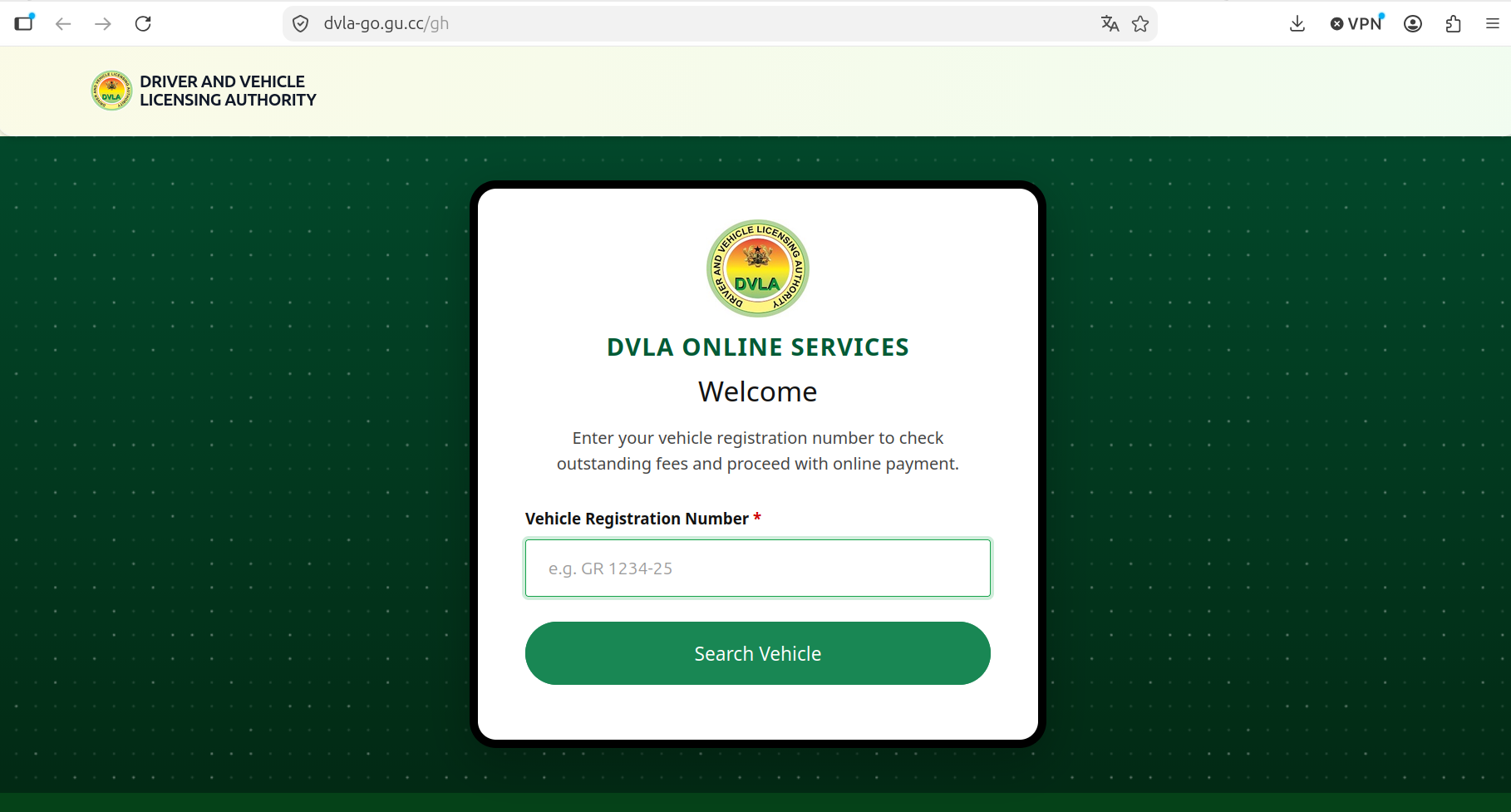
The site accepted it as "verified" and displayed a recorded offence:
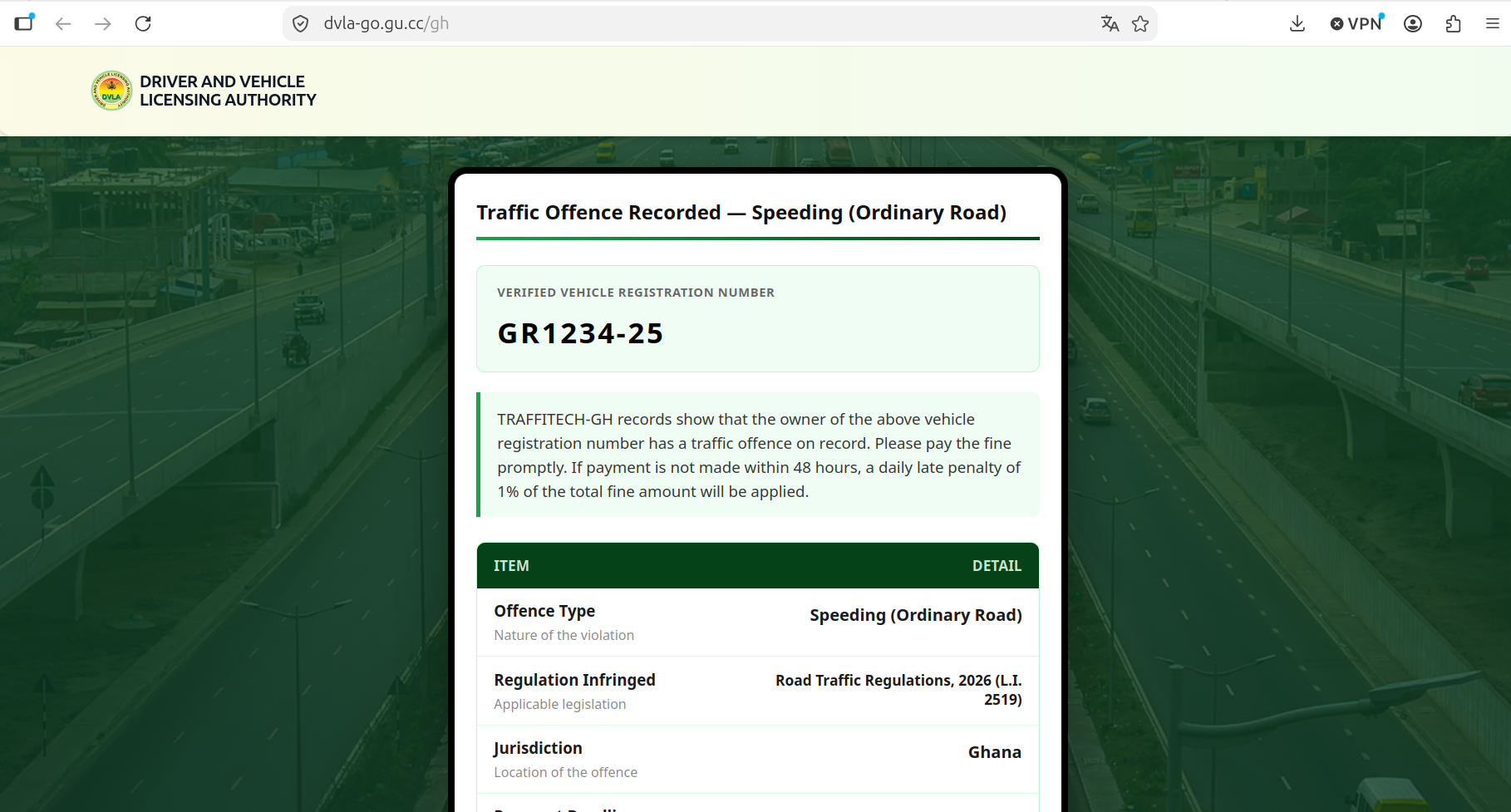
The sample placeholder number, "verified" and tied to an offence:
|
Item |
What the site showed |
|---|---|
|
Offence |
Speeding (Ordinary Road) |
|
Regulation cited |
"Road Traffic Regulations, 2026 (L.I. 2519)" |
|
Full fine |
GH₵ 120.00 |
|
"Discounted" fine |
GH₵ 60.00 if paid within 48 hours |
|
Payment deadline |
10/10/2026, the day after I visited |
Below the table sat a list of threatened consequences: loss of the discount, accrued interest, blocked vehicle inspections, inability to renew a licence or registration, enforcement proceedings, and a record on the traffic offences register. A "Continue to Online Payment" button led to a form collecting card details.
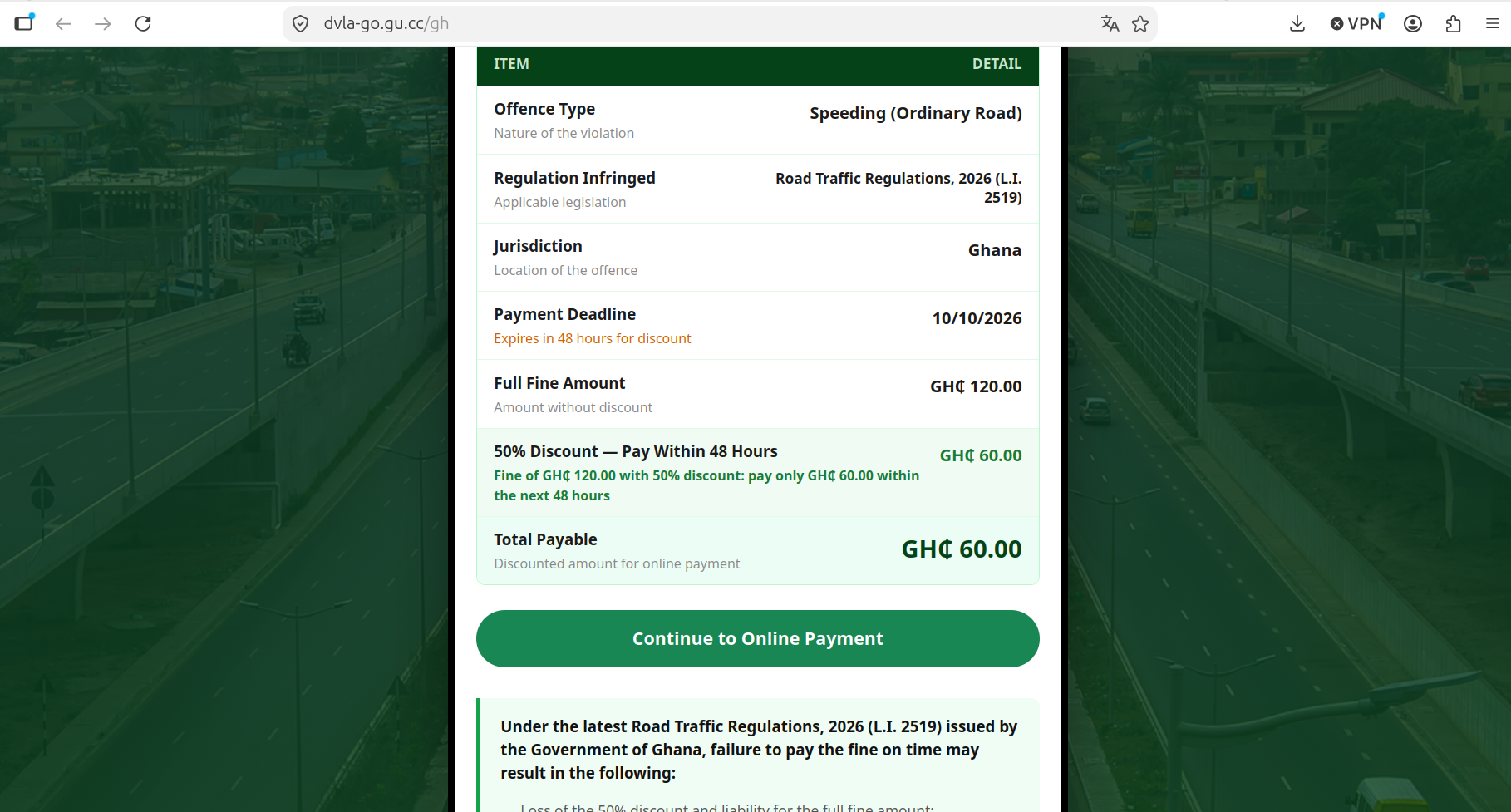
The page also mixes up who is supposedly fining you. The SMS claims to be from the police "Traffic Department". The website impersonates the DVLA. The result page cites records from "TRAFFITECH-GH". No genuine notice would name three different authorities.
Why the lookup is fake
The site returns the same offence, amount and deadline for any registration number entered. Nothing is being checked against a database. It simply repeats your input back, stripped of spaces and hyphens, and labels it "verified".
It also fakes persistence. When I closed the page and reopened the link, it skipped the form and showed my "case" again. After I cleared my browser's cache and cookies, the form returned. The "record" lives in your own browser, not in any government system. Its purpose is to make the fine feel real if you hesitate and come back later.
The pressure tactics contradict each other too. One panel threatens a 1% daily late penalty. Another threatens loss of the discount plus enforcement. The 48-hour deadline is almost certainly calculated from the moment you visit.
The GH₵ 60 is bait. A small amount feels easier to pay than to question. The real target is your card number, expiry date and security code, which can then be used for far larger charges.
How to spot a fake government message
These checks apply well beyond this scam. Any one of them should make you stop before paying.
-
Check the sender. Official messages come from a registered sender ID, not a regular phone number.
-
Look for your details. A genuine notice names you, your vehicle, or a reference you can verify. A vague message is a mass mailing.
-
Read the web address. Ghana government sites end in .gov.gh. Lookalikes such as "dvla-go" or "gov-gh" on another ending are not official.
-
Be wary of short links. Shortened links hide where you are going. Agencies rarely use them in official notices.
-
Test with a fake input. If a lookup "finds" a record for a made-up or sample number, there is no real lookup.
-
Notice the pressure. Countdown timers, steep discounts and lists of penalties are designed to rush you.
-
Check that the details agree. Mismatched agency names and contradictory penalties are signs of a template, not a real case.
-
Verify independently. Contact the agency through its official website or a number you look up yourself, never one in the message.
If you have already paid
Act quickly. The sooner your bank knows, the more it can do.
-
Call your bank immediately using the number on the back of your card. Ask them to block the card and issue a new one.
-
Review recent transactions and dispute any you do not recognise.
-
Watch for follow-up contact. Scammers often call victims pretending to be the bank or the police. Do not share PINs or one-time codes with anyone.
-
Report it to the Cyber Security Authority by calling or texting 292. Keep the SMS as evidence.
How we reported it
We reported the site to Google Safe Browsing, Cloudflare, the DVLA and the Cyber Security Authority, and the National CERT of the Cyber Security Authority acknowledged our report within hours. Each channel below can act independently, so reporting to several gets results faster.
|
Channel |
What it does |
|---|---|
|
Puts a warning page in front of the site in Chrome, Firefox and Safari |
|
|
Does the same in Edge |
|
|
The site sits behind Cloudflare, which can flag it and forward the report to the real host |
|
|
Cyber Security Authority (call or text 292) |
Investigates, coordinates takedowns and works with mobile networks |
|
Can warn the public and confirm its official payment channels |
You do not need technical skills to help. Reporting the URL to Google Safe Browsing takes under a minute, and reporting to the CSA can be done by phone. If you share a scam link publicly, write it with brackets around the dots, as in this post, so it cannot be clicked.
The bigger picture
Impersonation scams are getting more polished. This one copied the DVLA's branding, address and call-centre number, and dressed a static template up as a live government system. The giveaways were all there, but only for someone who stopped to look.
Catching these scams is a shared job. Citizens can pause, check and report. Institutions can make their official channels easy to recognise and warn the public quickly when they are impersonated. If this post helps one person keep their card details, it has done its job. Please share it with family and friends, especially those who drive.
Comments
No comments yet.